Modules
Why this matters
A module is a record type in ZaazCRM: Contacts, Companies, Leads, Cases, Quotes, Invoices. Almost everything you see in the sidebar is a module. As an administrator, you manage which modules exist, what type they are, in which group they appear, and what permissions they require.
Module types
| Type | Purpose | Examples |
|---|---|---|
| Entity | Business modules | contacts, leads, cases |
| Custom | User-created | custom catalogs |
| Extension | Feature extensions | templates, eForms |
| Native | System with dedicated tables | SMTP configuration |
| Administrative | System management | users, roles, modules |
The modules list
Sidebar → Settings → Modules. Shows each module with type, group, table, status.
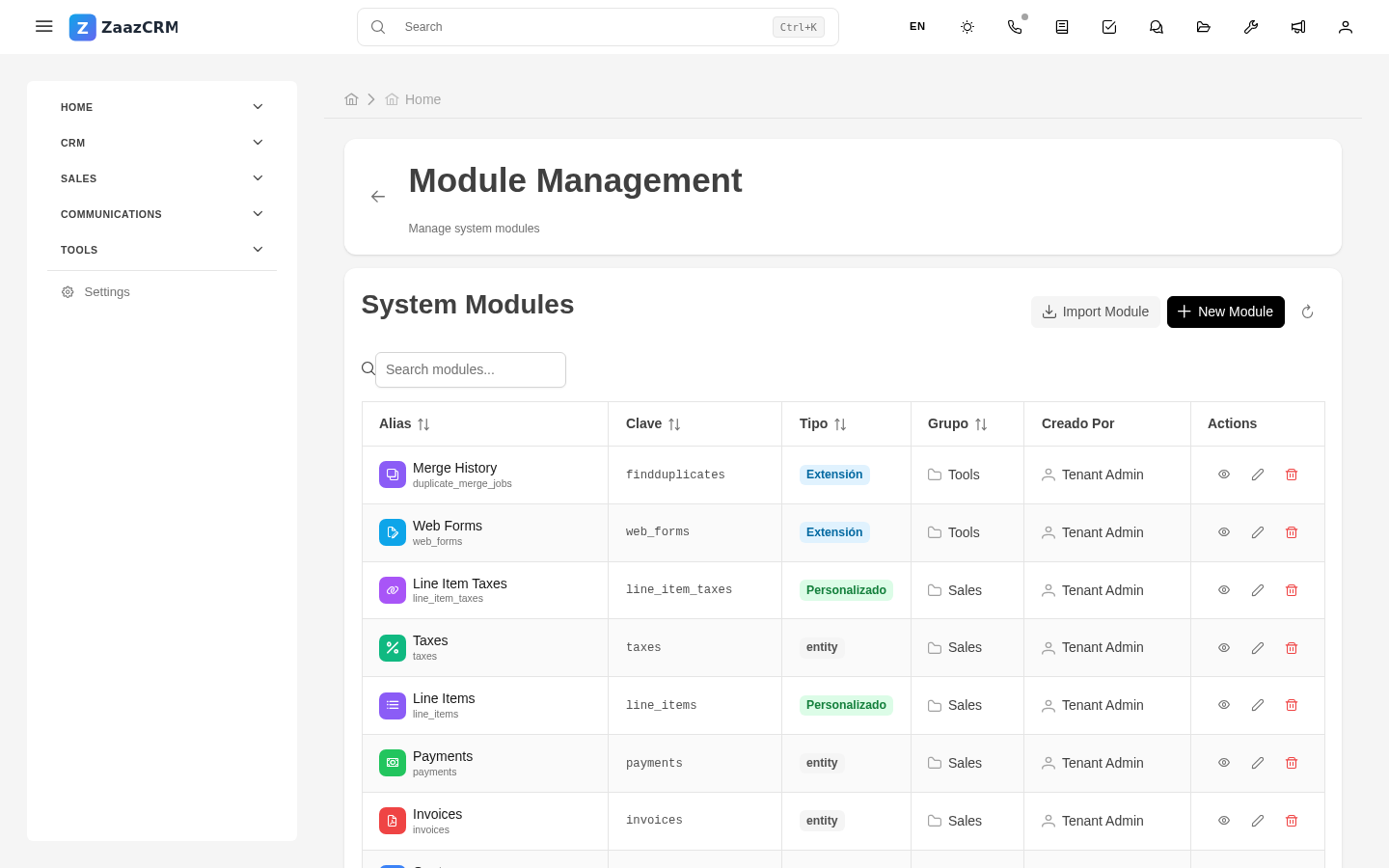
Enable / disable
- Open the module → Edit.
- Toggle Active or Show in menu.
- Save.
Disabling hides the module but data is preserved.
Module groups
Modules are grouped into sidebar categories: CRM, Sales, Support, Communication, etc. Configurable in Settings → Module groups.
Module permissions
The 4 basic permissions (view, create, edit, delete) are assigned via Roles and Profiles.
Watch out for
- Don't delete a system module. Disabling is the right option.
- The technical key doesn't change. Decide well on creation.
- Custom modules are install-specific.
Where to next
- Custom modules — create new ones.
- Fields — what fields each module has.