Users
Why this matters
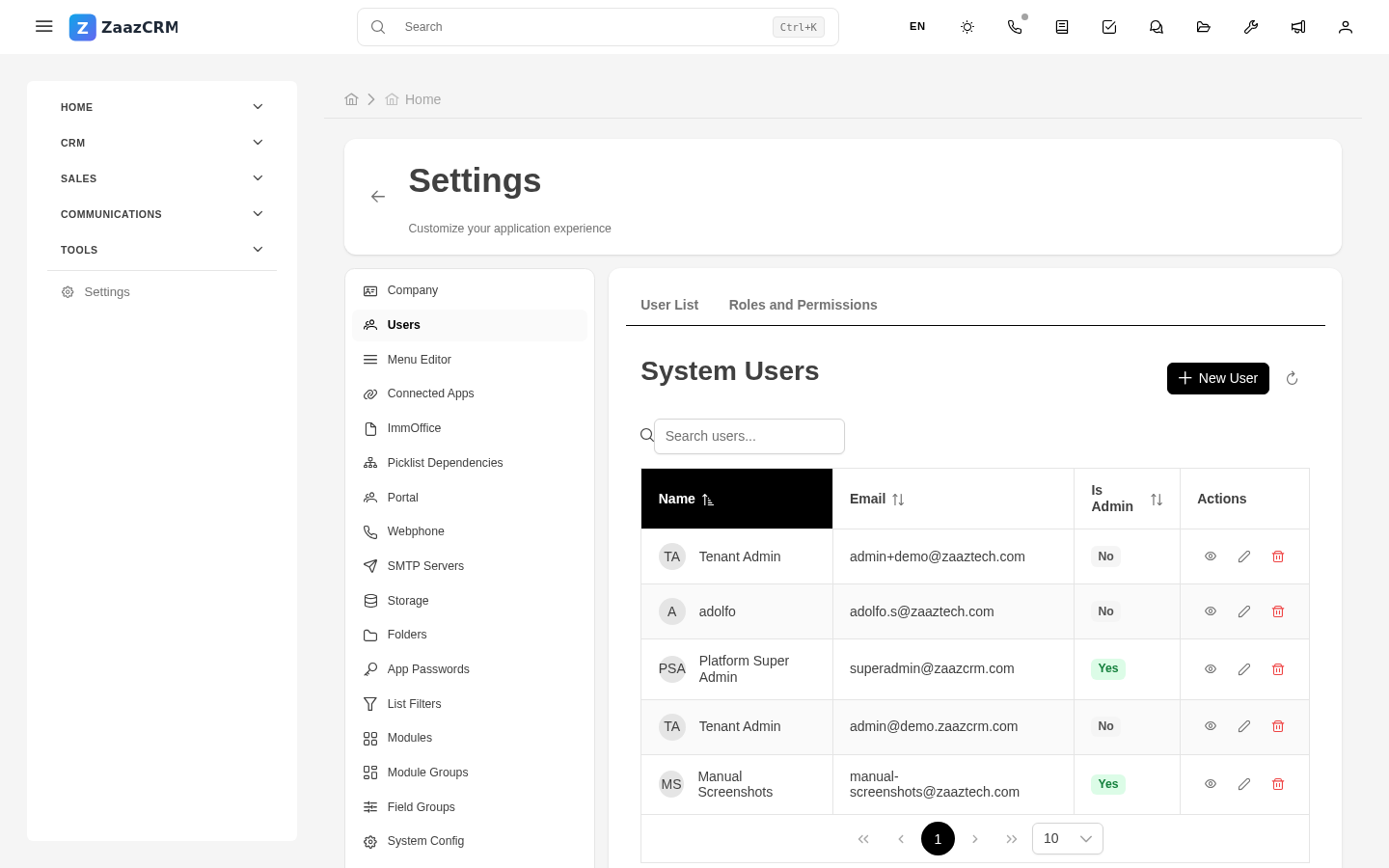
Every person who uses ZaazCRM at your company needs a user account: sales reps, support agents, admins, accountants, managers. The Users module is where you onboard them, deactivate them when they leave, and resolve access problems.
Create a new user
- Sidebar → Settings → Users → Create.
- Fill in:
- Full name.
- Email — unique in the company.
- Initial password — generated or defined; user changes on first sign-in.
- Primary Role.
- Preferred language and Time zone.
- (Optional) Assign additional Profiles.
- Save.
ZaazCRM sends a welcome email with sign-in instructions.
Deactivate (don't delete) a user
When someone leaves the company:
- Open the user → Edit.
- Change Status to Inactive.
- Save.
Records (leads, cases, comments) are preserved for audit. Don't delete a user.
Reassign an inactive user's work
Before deactivating:
- Open the user → Assigned leads / Assigned cases tab.
- Mass select → Reassign to → another rep or agent.
- Apply.
Force a password change
If a user forgot their password or you need them to change it:
- Open the user → menu → Reset password.
- Generate random / Send recovery link / Define temporary.
Force sign-out of sessions
If you suspect the account was compromised:
- Open the user → menu → Sign out all sessions.
Role and profiles
Each user has one role (general) + zero or more profiles (granular). See Roles and Profiles.
Watch out for
- Don't reuse emails. Each email is a distinct user in history.
- Don't change the email "to fix it". Deactivate and create a new one.
- Super Admins are a special category. Only assign to 1-2 people.