Company profile
Why this matters
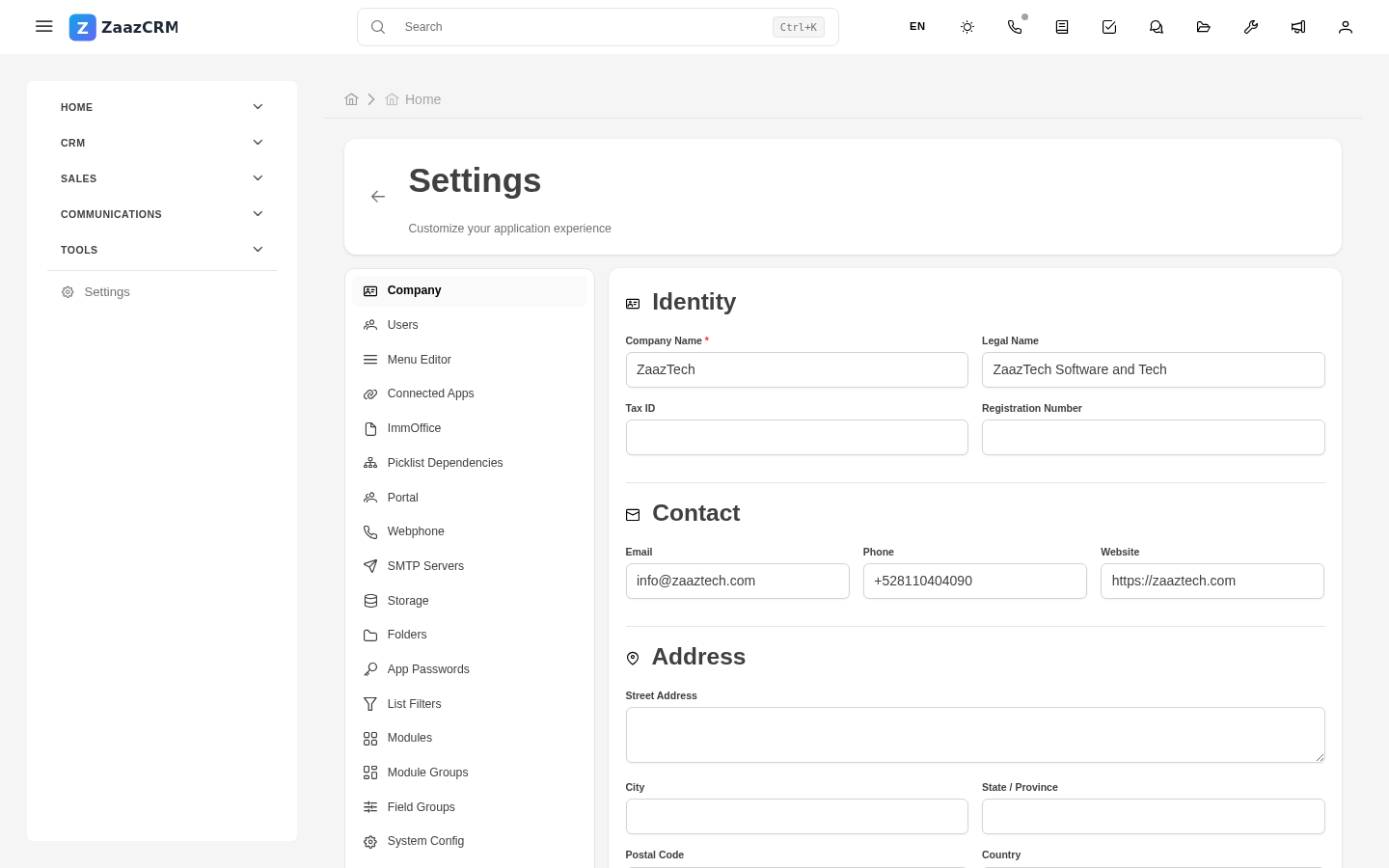
The company profile is where you define your organization's general data: legal name, logo, tax info, address, currency, time zone, default language. These appear in templates (invoices, quotes, contracts), emails, and the application's visible branding.
Get to the profile
Sidebar → Settings → Company profile.
Data to fill in
Identity
- Legal name — the official one.
- Doing-business-as (DBA).
- Tax ID / Business Number.
Branding
- Logo — square and horizontal.
- Primary color.
- Favicon.
Contact
- Official address, Phone, Email, Website.
Regional settings
- Primary currency.
- Time zone.
- Default language.
- Date format.
Fiscal
- Default tax rates.
- Bank info for invoices.
How this data is used
- Templates use tokens like
{{company_legal_name}},{{company_logo}}. - Sign-in page shows the logo.
- Reports include legal data in the footer.
- System transactional emails use the profile's email and name.
Changing data reflects everywhere instantly.
Watch out for
- Changing the legal name doesn't change old data — previous invoices/quotes keep the prior data, fiscally correct.
- The logo is cached — can take minutes to reflect. Hard refresh (Ctrl+F5).
- Sensitive fiscal data — be conservative about who has access.
Where to next
- Audit — who changed what.
- PDF templates (creation) — where the data is used.