Products
Why this matters
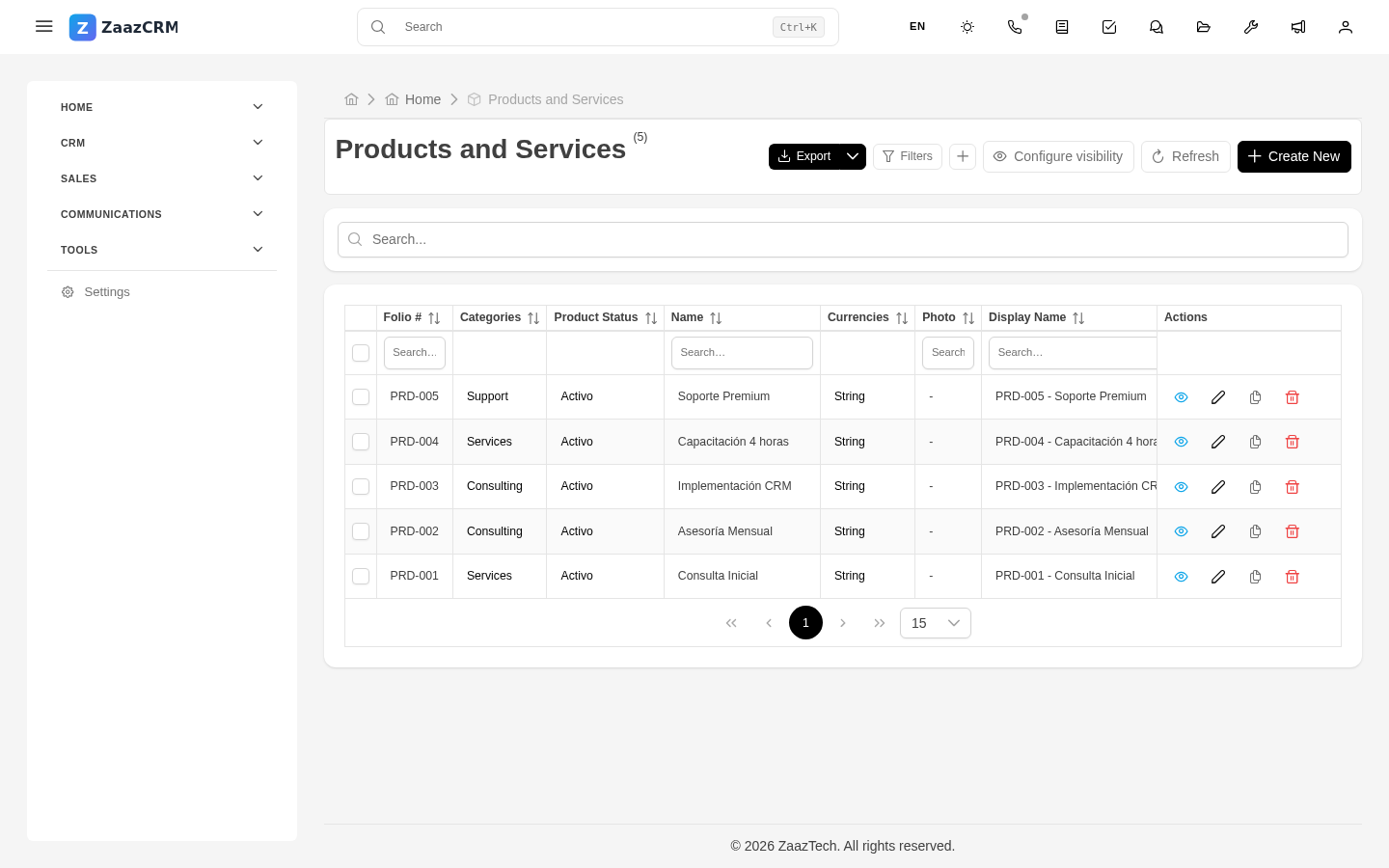
The Products module is the catalog of everything your business sells: physical items, services, subscriptions, licenses, bundles, support plans. When building a quote or invoice, instead of typing each line from scratch, you pick from the catalog and the data is copied: name, description, price, applicable tax.
A well-maintained catalog makes quotes consistent (every sales rep charges the same for the same product) and much faster to generate.
Create a product
- Sidebar → Products → Create.
- Fill in:
- Name — short and recognizable.
- Description — what it includes. Appears on the quote/invoice the customer sees.
- Unit price and Currency.
- Default tax — the one that typically applies.
- Type — physical product, service, subscription, license, other.
- Category — for grouping in reports.
- Code or SKU — optional, useful for inventory.
- Cost (optional) — to calculate margin.
- Save.
Use a product in quotes/invoices
When adding a line item:
- In the Product field, type part of the name and select from autocomplete.
- ZaazCRM fills in description, unit price, and tax automatically.
- Adjust quantity and, if needed, discount or special price for this customer.
You can mix catalog products with free-form lines in the same document.
Inventory (optional)
If your business tracks inventory in ZaazCRM:
- Current stock is tracked per product.
- On invoicing, ZaazCRM subtracts from stock automatically.
- Alerts when stock drops below configured minimum.
Not every business needs this — for services or digital products, just the catalog without inventory is enough.
Virtual and bundled products
- Virtual products (no physical inventory): services, licenses, subscriptions, support.
- Bundled products: one product including several others. On selling, ZaazCRM can decompose into its components.
Update prices
When you change a product's price in the catalog, old quotes and invoices are not updated. They keep the price from the moment they were generated — correct from a legal and audit standpoint.
New quotes and invoices from that point on use the updated price.
Deactivate a product
When you stop selling a product, don't delete it — deactivate it:
- Open the product → Edit.
- Set Active to No.
- Save.
The product stops appearing in autocomplete when building new quotes, but stays visible on old ones where it appeared.
Watch out for
- Avoid duplicates. Before creating a new product, search. It's easy to end up with "Premium Support", "Soporte Premium", "Premium Plan Support" as three separate records.
- The product price is the list price, not the negotiated one. If you offer discounts, capture them as a discount on the line item, not by lowering the unit price. That way reports tell you how much discount you're giving away.
- Keep cost updated. If you'll calculate margin, product cost changes over time. Margin reports lie if cost is outdated.
Where to next
- Taxes — how taxes are calculated on line items.
- Line items — the shared structure of quotes and invoices.